 Dink Data
Discipline is measurable. The patient player wins.
Score and log stats from your wrist while you play. No camera, no tripod, no upload, no account — just tap. Then see the numbers that actually move your win rate.
- Live scoring on Apple Watch: two big buttons, one tap per point
- Score and stats on separate screens, one swipe apart
- Add or fix any stat later — nothing locks when the match ends
- Your data, your iCloud, nobody's server — no account required

 Free for 14 days, then $2.99/month. No account, no ads, no upsell.
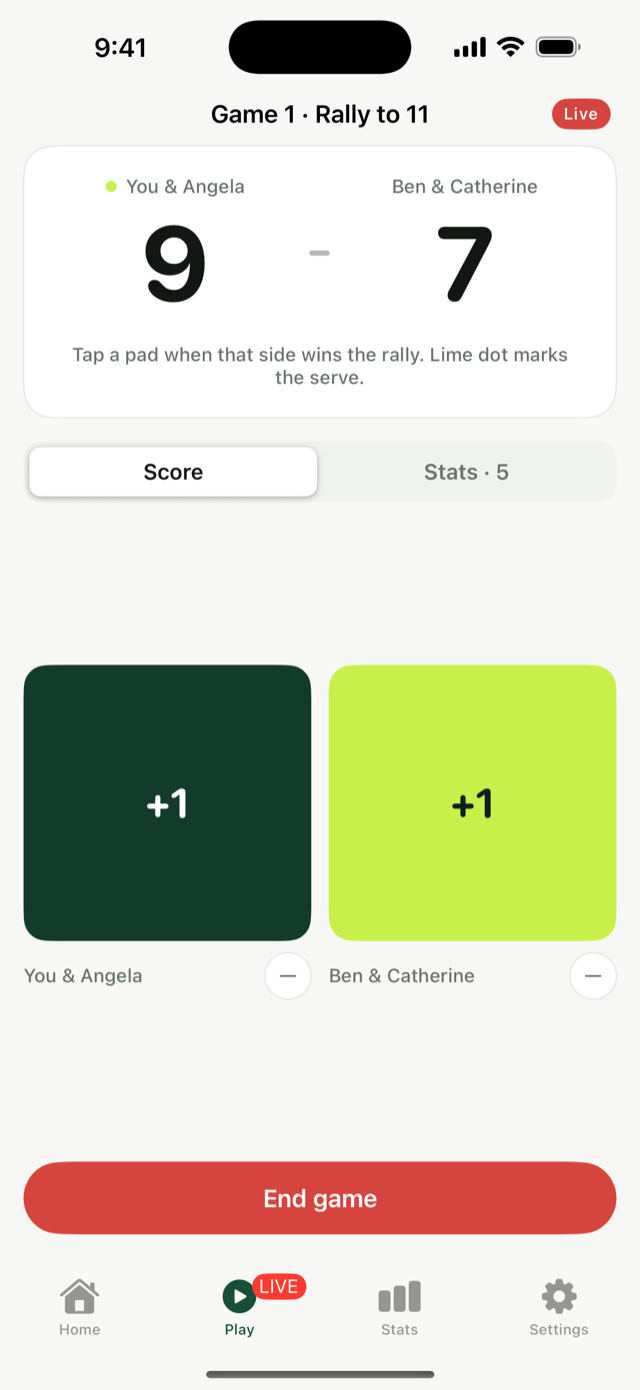
Every match, quietly adding up.
Everything logs itself into trends you can act on. Real screenshots, real (humbling) sample data.
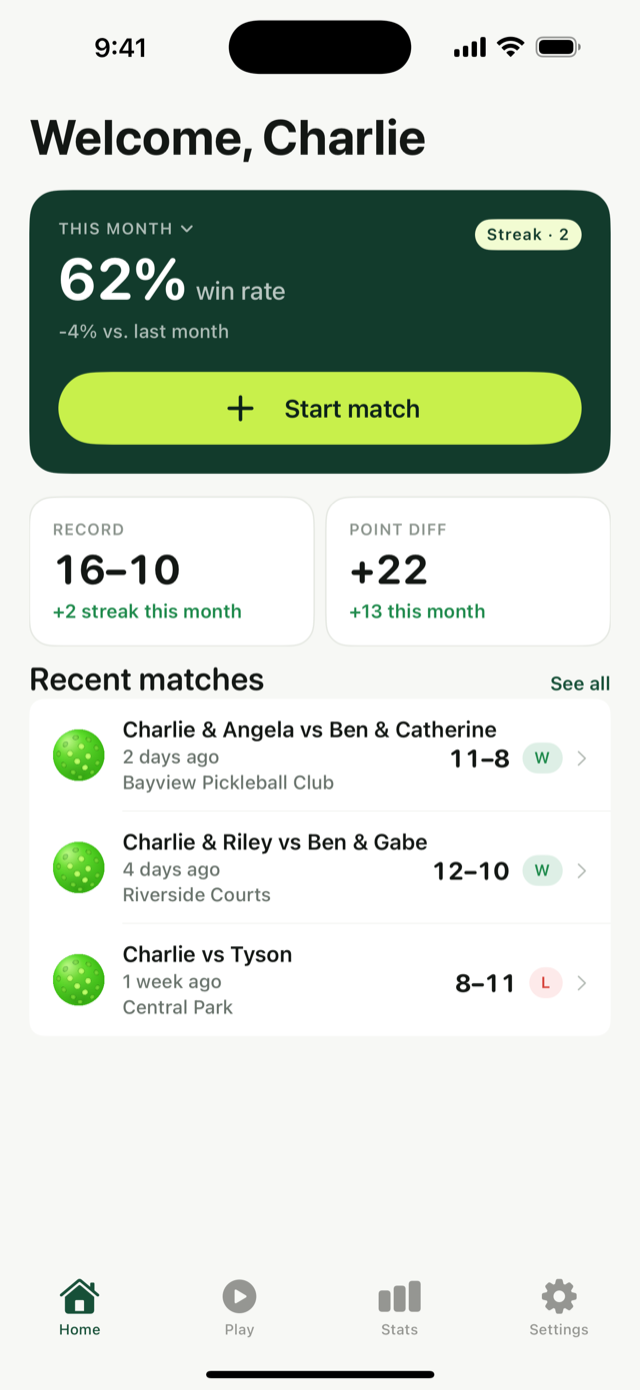
Your season at a glance
Win rate, streaks, and point differential, with deltas so you know if you're trending up.
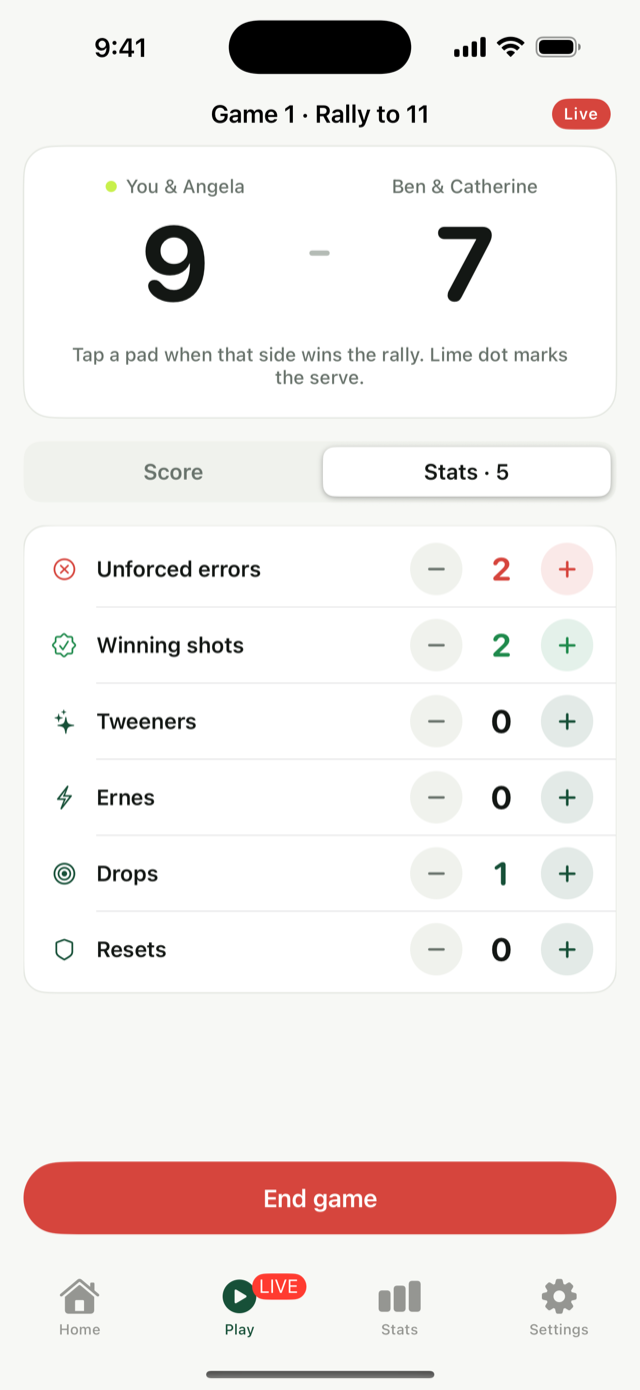
Stats without losing the score
During a match, score and stats live on separate tabs — the scoreboard stays pinned while you log.
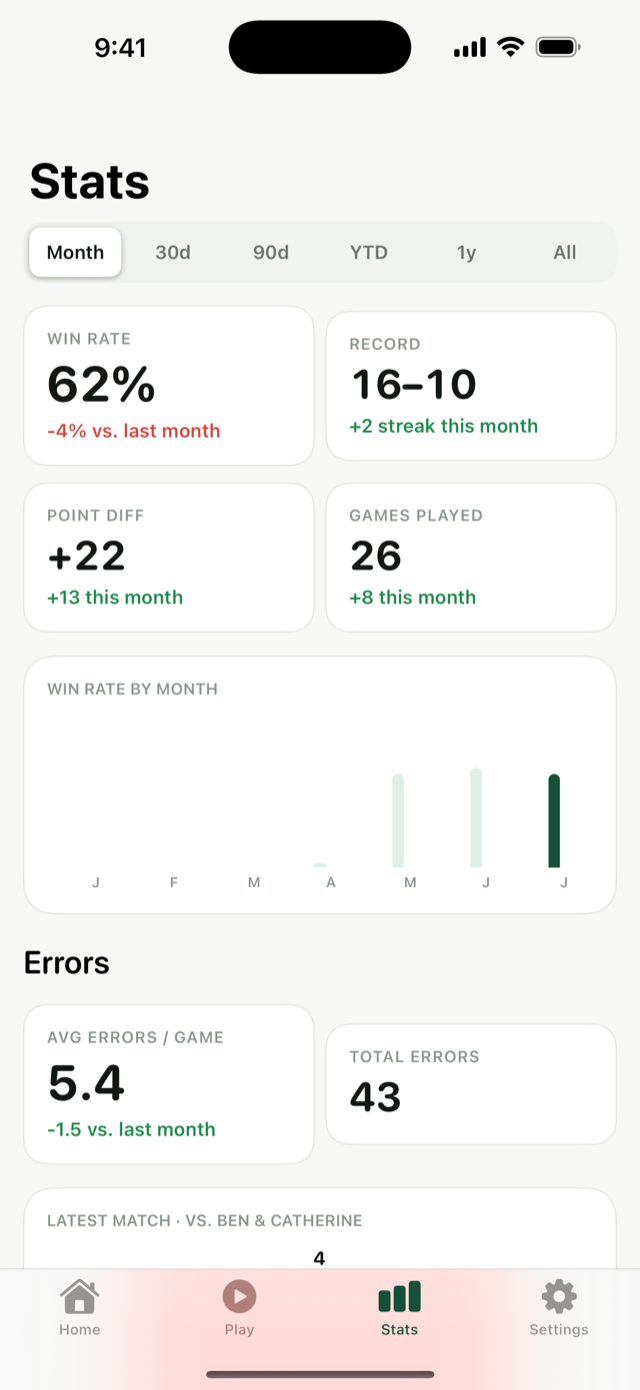
Trends over any window
This month, 30 or 90 days, this year, or all time — error rates and win rate, always with a delta.
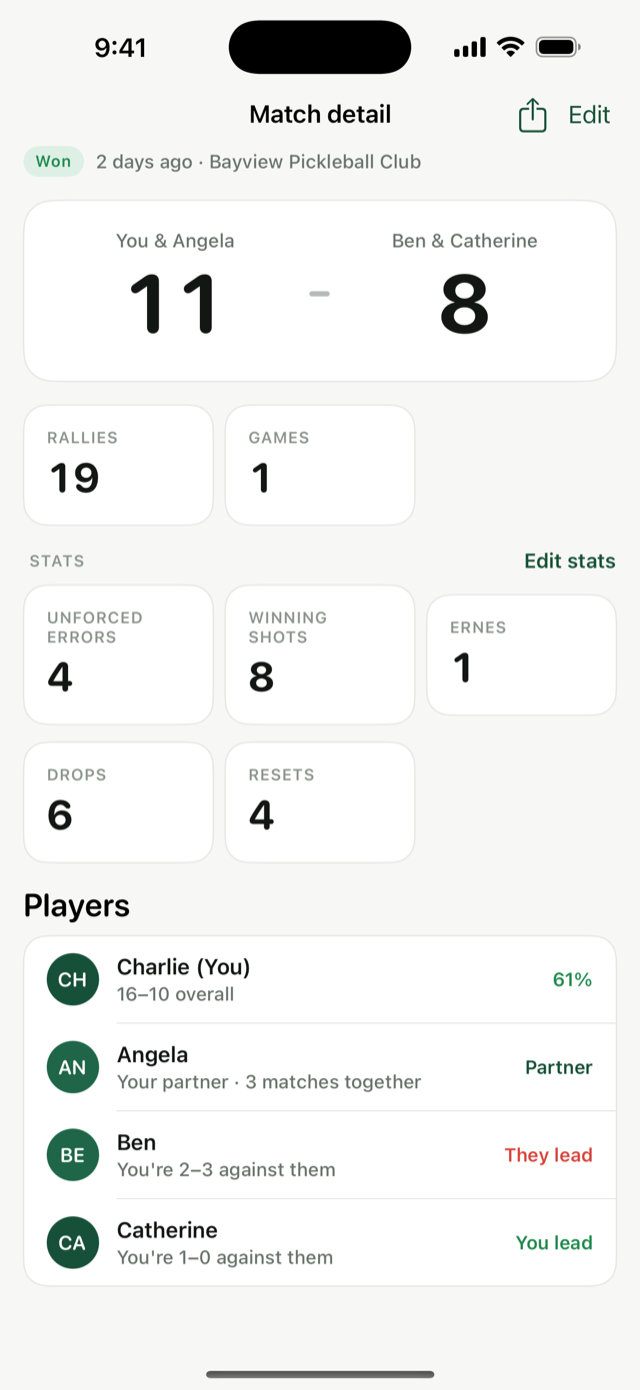
Edit stats after the match
Forgot to track? Add errors, winners — any stat — to any finished match, game by game.
DUPR tells you your rating. Dink Data tells you what to practice.
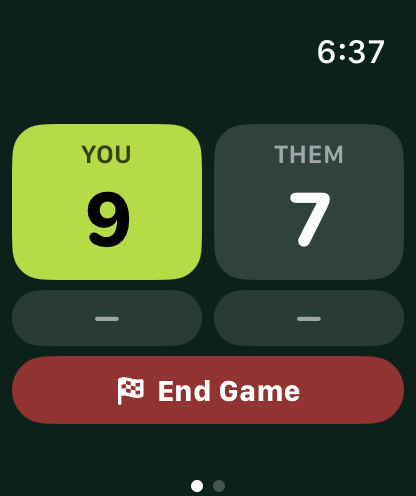
Score on one screen.
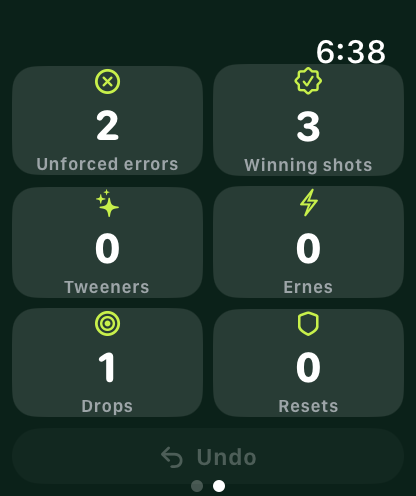
Stats on the next.
Keeping score and tracking stats at the same time is hard — so the watch never asks you to. Each job gets its own screen, one swipe apart.
- Huge tap targets you can hit mid-rally, sweaty hands and all
- One-tap stat tiles with a one-tap undo — glance, tap, back to the rally
- Counts as a workout: heart rate, calories and ring credit for the whole session — matches, breaks and all — no separate fitness app running
- Only track stats? Skip the score entirely and add it later on the phone
- Works without the phone; everything syncs when you're back